OmniTool Hub's Audio Studio is a comprehensive sound workstation for converting codecs, trimming audio clips, and extracting soundtracks from video files. Operating entirely in browser memory via Web Audio decoders and WebAssembly codecs, it handles high-bitrate music tracks and lengthy podcasts without sending audio bytes over the internet.
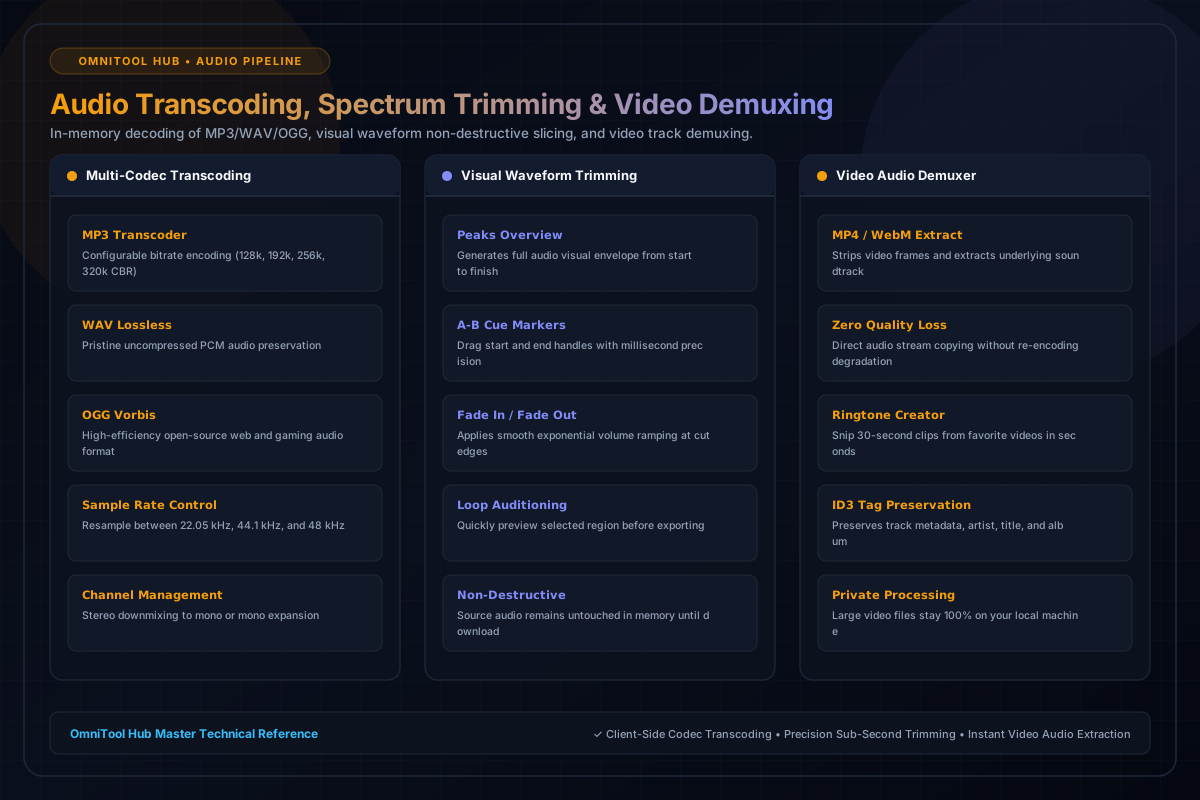
Audio Processing Engines
Here is a detailed breakdown of the capabilities, algorithms, and configurations available within this tool suite:
Convert audio files between MP3 (128k - 320k CBR), lossless WAV, and OGG Vorbis with custom sample rate resampling (44.1kHz vs 48kHz).
Visualize complete track envelopes with draggable A-B cue markers, millisecond accuracy, and optional fade-in/fade-out volume ramps.
Extract pristine audio soundtracks from MP4, WebM, and MOV video recordings without quality loss or re-encoding artifacts.
Merge wide stereo channels into focused mono tracks for podcast distribution, or duplicate single-mic voice to dual-channel stereo.
Step-by-Step Usage Guide
- Select your desired mode: **Audio Transcoder**, **Waveform Trimmer**, or **Video Audio Extractor**.
- Upload your audio or video file into the workstation canvas.
- Choose output parameters: target codec (MP3, WAV, OGG), bitrate (320 kbps), and sample rate.
- If trimming, drag start and end time markers and apply fade effects.
- Click **Process & Convert** to compile and download your processed audio file.