Debugging API integrations often starts by copying a cURL command from Postman, Swagger, or Chrome DevTools. OmniTool Hub's cURL to Code Converter instantly translates messy shell cURL commands into clean, idiomatic code for modern programming languages without making network calls or exposing sensitive Authorization Bearer tokens to third parties.
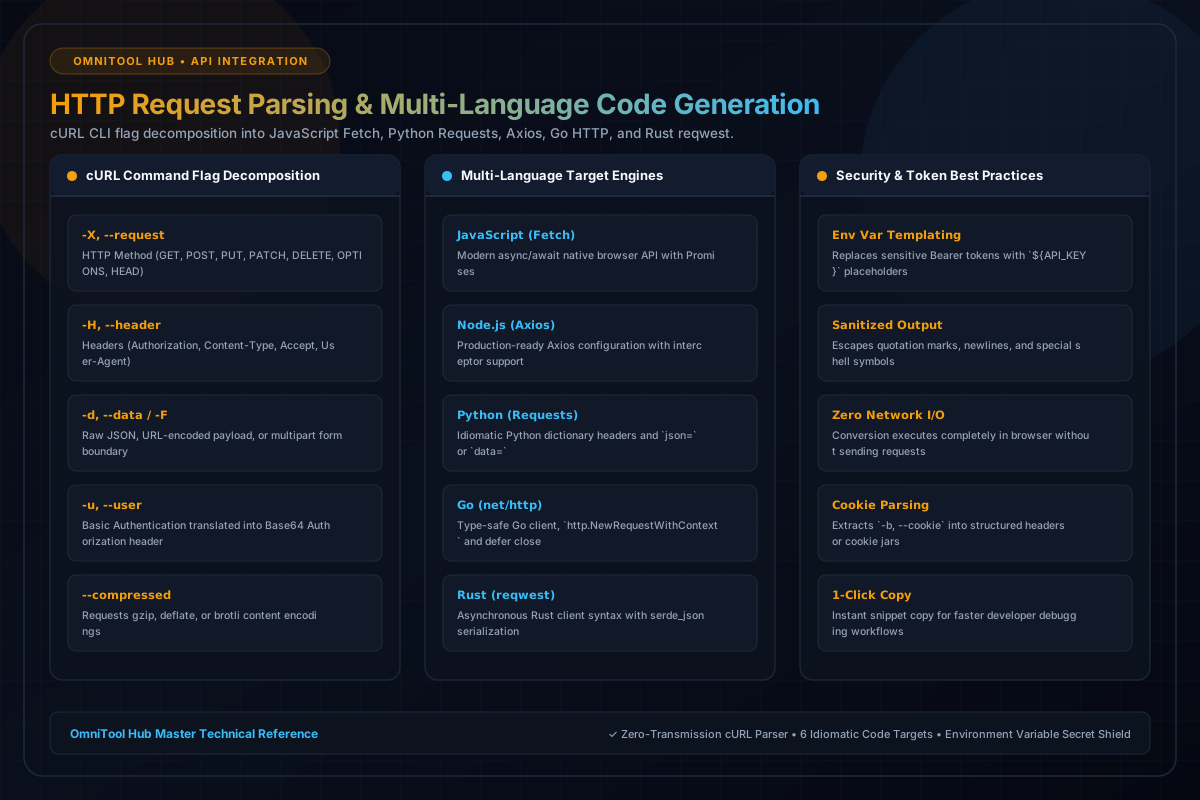
Supported Target Languages & Frameworks
Here is a detailed breakdown of the capabilities, algorithms, and configurations available within this tool suite:
Modern ES6+ async/await fetch request syntax with proper headers, body serialization, and error handling.
Clean Python code using the popular `requests` library with dictionaries for headers, query params, and JSON payloads.
Configured Axios request options object with proper timeout configurations and response interceptor patterns.
Idiomatic Go client setup with `http.NewRequestWithContext`, buffer body streams, and defer `resp.Body.Close()`.
Asynchronous Tokio/Reqwest client code with typed JSON deserialization structures.
Step-by-Step Usage Guide
- Paste your cURL command into the input code editor.
- Select your target programming language (JavaScript, Python, Go, Rust, or Node.js).
- Toggle code formatting options (async/await wrappers, environment variable placeholders).
- Inspect the generated snippet in the output code view.
- Click **Copy Code** to paste directly into your IDE.