OmniTool Hub's Data Formatter & Converter Suite combines multi-language code beautification, syntax validation, and bidirectional data serialization into a single responsive workstation. Supporting formatted JSON, multi-dialect SQL queries, YAML specifications, and CSV tables, it helps developers inspect API payloads and clean messy database queries in seconds.
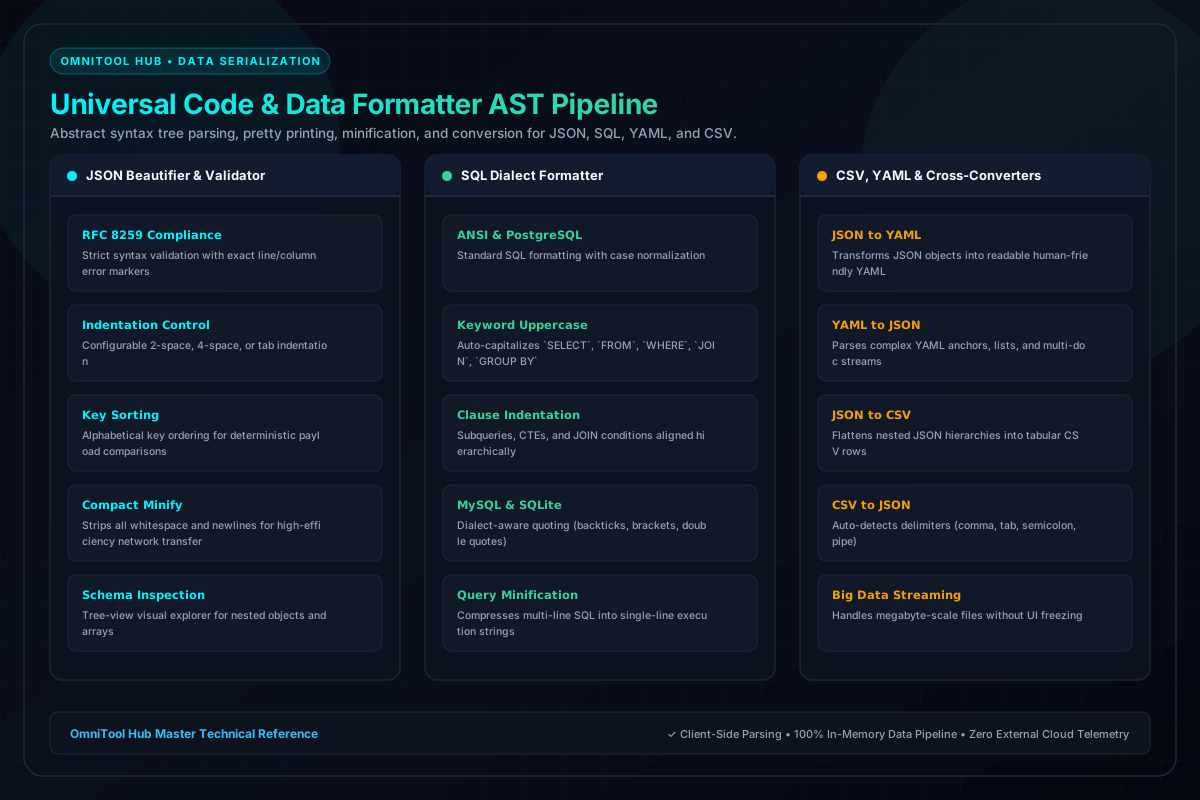
Integrated Formatter Engines
Here is a detailed breakdown of the capabilities, algorithms, and configurations available within this tool suite:
RFC 8259 compliant parsing with configurable 2-space, 4-space, or tab indentation, key sorting, and 1-click whitespace minification.
Formats complex SQL queries across PostgreSQL, MySQL, and SQLite. Capitalizes keywords, indents JOINs, and aligns subqueries.
Bidirectional transformer: convert spreadsheet CSV rows into structured JSON objects or human-friendly YAML configuration files.
Interactive tree explorer lets you expand and collapse nested object hierarchies, inspect array lengths, and copy specific key paths.
Step-by-Step Usage Guide
- Choose the target sub-tool tab: **JSON Formatter**, **SQL Beautifier**, or **CSV/YAML Converter**.
- Paste your raw data string or upload a source file.
- Select formatting rules (indentation spacing, uppercase SQL keywords, or delimiter type).
- Click **Format / Beautify** to execute syntax parsing in real time.
- Review formatted code in the syntax-highlighted editor and copy or download the file.