Recording product walkthroughs, software bug demonstrations, or tutorial presentations shouldn't require installing bulky third-party software that watermarks your videos. OmniTool Hub's Browser Screen & Tab Recorder leverages hardware-accelerated MediaRecorder APIs and Web Audio mixing to capture high-definition desktop video and microphone audio directly in your browser with zero limits.
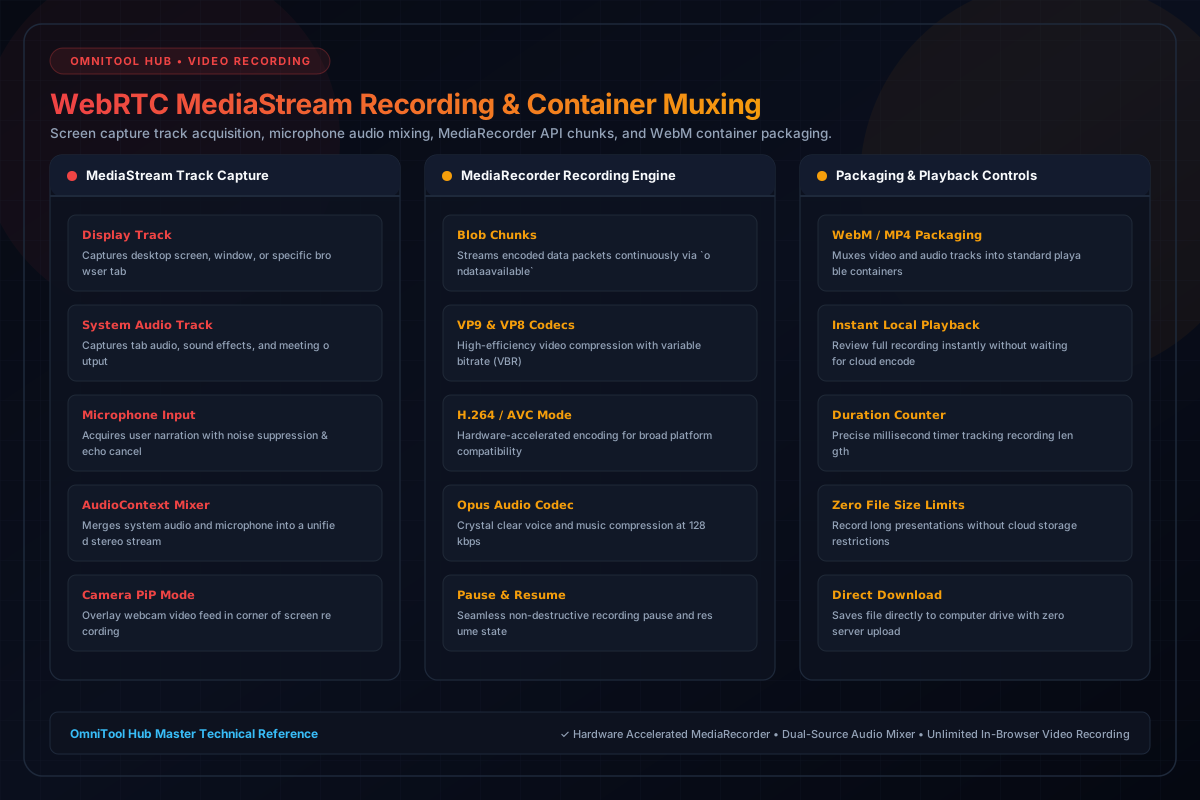
Recording & Audio Capabilities
Here is a detailed breakdown of the capabilities, algorithms, and configurations available within this tool suite:
Record your entire desktop monitor, a specific application window, or an individual browser tab with full 1080p / 4K fidelity.
Mix system audio (tab sounds, video playback) with your microphone narration into a balanced, crystal-clear stereo audio track.
Overlay your front-facing webcam stream in the corner of your screen recording for personalized presentations and video tutorials.
Encode videos using high-efficiency VP9/H.264 video and Opus audio codecs, with zero watermarks and instant local playback.
Step-by-Step Usage Guide
- Configure your recording inputs: select Screen Source, Microphone, and optional Webcam.
- Click **Start Recording** and grant permission for the display and microphone streams.
- Perform your presentation or walkthrough while monitoring the recording timer.
- Click **Stop Recording** to conclude the session and compile the media chunks.
- Review the recording in the integrated playback player and click **Download Video**.