Signing up for web services, downloading whitepapers, or testing onboarding flows often requires an email address, inviting marketing spam and data broker tracking. OmniTool Hub's Disposable Temp Mail client generates ephemeral, zero-persistence email addresses in real time with automated 10-second inbox polling and client-side HTML sanitization.
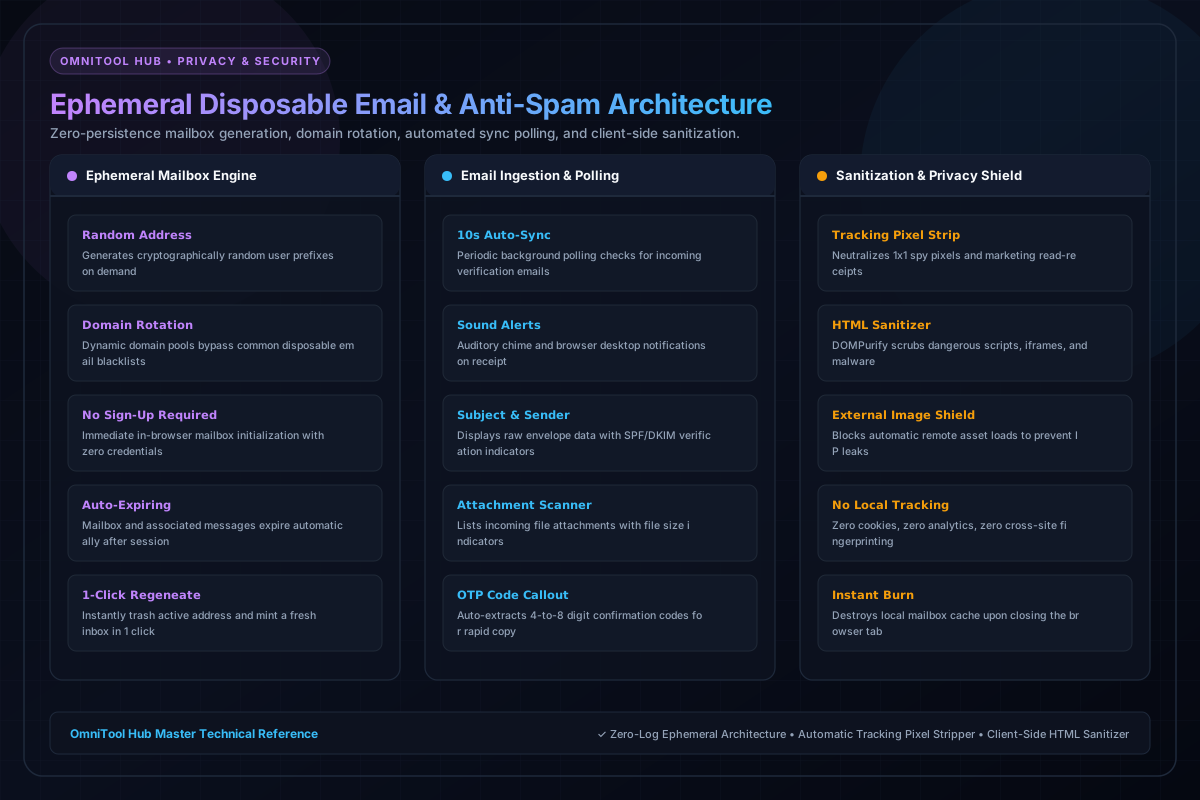
Inbox & Security Capabilities
Here is a detailed breakdown of the capabilities, algorithms, and configurations available within this tool suite:
Generate randomized email addresses on high-reputation domains with 1 click. Zero passwords or personal credentials required.
Background sync checks for incoming mail every 10 seconds. Alerts you with audio chimes and badge counts on new email delivery.
Identifies 4-to-8 digit verification codes in incoming emails and displays them in a prominent 1-click copy badge.
DOMPurify strips malicious scripts, iframes, and 1x1 marketing tracking pixels to protect your IP address and device privacy.
Step-by-Step Usage Guide
- Open the Temp Mail tool to automatically generate a fresh, active disposable address.
- Click **Copy Address** to paste the temporary email into your signup form.
- Wait for the incoming verification message to appear in the inbox list.
- Click the message to read sanitized contents and copy your verification link or OTP code.
- Click **Delete / Trash** when finished to purge the inbox immediately.