Analyzing athletic techniques, transcribing recorded interviews, or skimming long lecture recordings requires precise playback speed control. OmniTool Hub's Video Playback Speed Controller gives you granular speed adjustments from 0.1x to 4.0x with pitch correction, single-frame stepping, and A-B loop practice modes for any local video file.
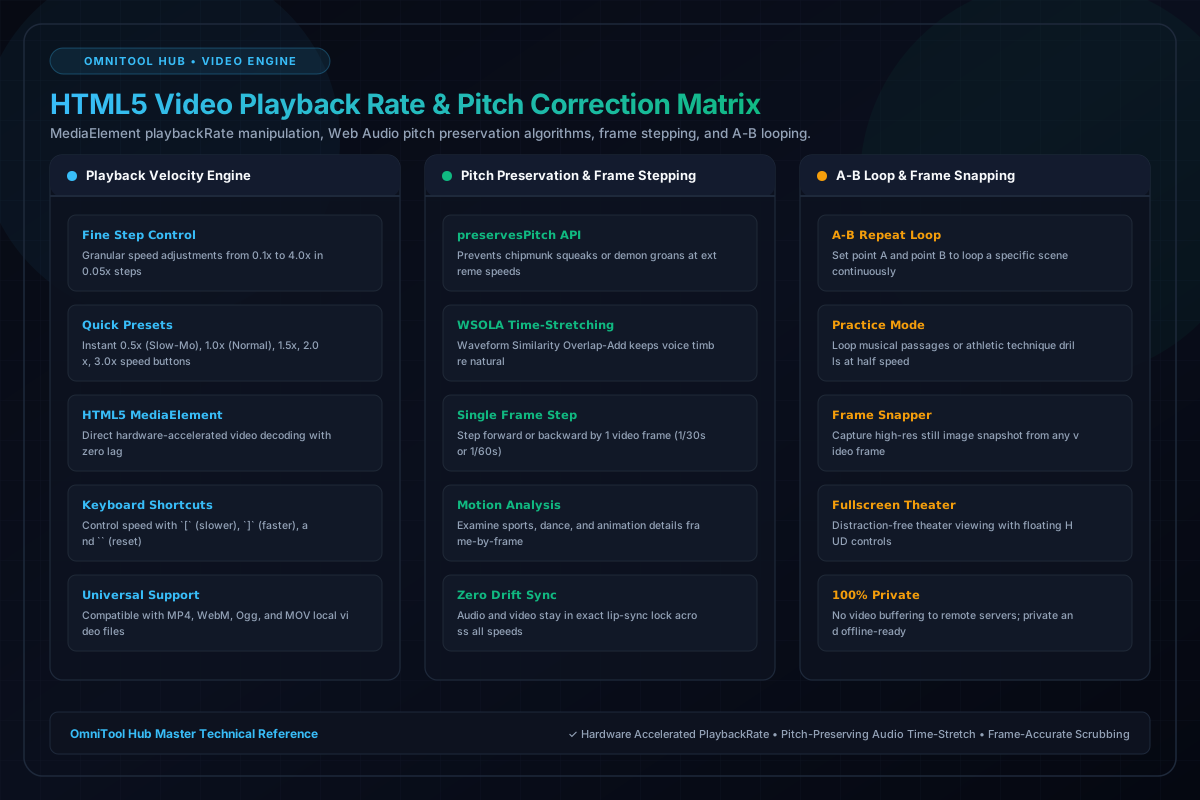
Playback Control Capabilities
Here is a detailed breakdown of the capabilities, algorithms, and configurations available within this tool suite:
Adjust video speed in precise 0.05x increments or use quick 0.5x, 1.0x, 1.5x, 2.0x, and 3.0x presets with keyboard shortcuts.
Employs browser audio time-stretching so voices remain natural and intelligible at high speeds without comical chipmunk pitch shifting.
Step forward or backward exactly one video frame (1/30th or 1/60th second) to analyze motion, sports, or animation frame-by-frame.
Set point A and point B to loop a specific sequence continuously, perfect for dance practice, music learning, or sports coaching.
Step-by-Step Usage Guide
- Drag and drop any local video file (MP4, WebM, MOV) into the player canvas.
- Select your target playback rate using the slider or quick preset buttons.
- Ensure **Preserve Pitch** is toggled on to keep narration natural.
- To inspect a movement, pause and use the **Frame Step** buttons to advance frame-by-frame.
- Set Mark A and Mark B to loop a specific segment continuously.