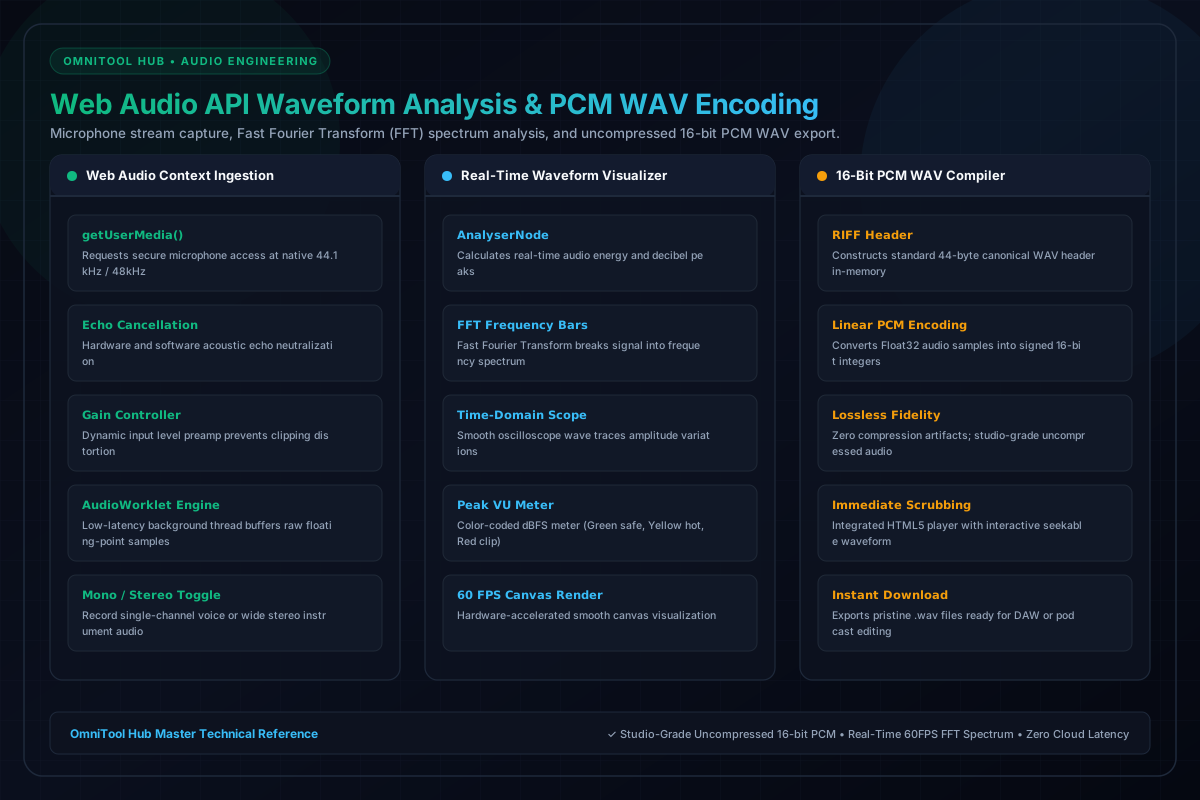
OmniTool Hub's Voice Recorder & Audio Waveform Studio delivers professional studio-grade voice recording directly within your browser. Powered by the Web Audio API, real-time 60 FPS Fast Fourier Transform (FFT) spectrum visualizers, and a pure client-side 16-bit linear PCM WAV compiler, it captures pristine acoustic fidelity for podcasts, voiceovers, and interviews.
Acoustic Engineering Features
Here is a detailed breakdown of the capabilities, algorithms, and configurations available within this tool suite:
Encodes raw microphone samples directly into uncompressed 16-bit PCM WAV files, eliminating lossy compression artifacts.
Fast Fourier Transform breaks down audio frequencies in real time, displaying energetic frequency bars and oscilloscope waveforms.
Fine-tune microphone gain levels, monitor real-time peak decibel meters (dBFS), and prevent audio clipping distortion.
Review recorded takes immediately on an interactive visual waveform timeline with millisecond-precise seek controls.
Step-by-Step Usage Guide
- Click **Enable Microphone** and allow browser microphone permissions.
- Adjust the input gain slider and observe the live oscilloscope preview.
- Click **Record** to start audio capture; observe the real-time waveform bars.
- Click **Pause** or **Stop** when finished speaking.
- Scrub the timeline to review your take, then click **Download Lossless WAV**.